






Best Gaming PC in UAE: How to Choose the Right Gaming PC in 2026
Introduction
Buying a gaming PC sounds straightforward until you actually start looking at the options. At first, you might only be thinking about getting a decent graphics card and enough storage for your games. Then you open a few UAE stores and find yourself comparing Ryzen and Intel processors, RTX graphics cards, different RAM configurations, SSD capacities, cooling systems and power supplies. Before long, you're looking at specifications you probably weren't even thinking about when you started.
That's the difficult part about buying a gaming PC. There are plenty of good machines available, but not all of them make sense for the same person.
You don't need the most expensive PC on the market to enjoy your games. What you need is a system that matches the games you play, the monitor you're using and your budget. Someone who spends most of their time playing Valorant or CS2 will have very different requirements from a gamer who wants to run demanding AAA titles at 4K.
There's also the question of how long you want the computer to last. If you're spending a good amount of money on a new system, it makes sense to think beyond the first few months. A PC with sensible upgrade options can remain useful for much longer than one that has been built with no room for expansion.
So, instead of asking which gaming PC is simply the most powerful, it's better to ask which one actually makes sense for your gaming setup in 2026.

Start With the Games You Actually Play
The easiest way to make gaming PC shopping confusing is to start with specifications.
You see one computer with a particular RTX card, another with a faster processor and another with twice as much RAM. The numbers keep getting bigger, but that doesn't necessarily tell you which machine will be better for you.
Start with your games instead.
If you mainly play competitive titles such as Valorant, CS2 or Fortnite, you may care much more about high frame rates and a fast monitor than ultra-high resolution. A player who spends most of their time with story-driven AAA games may have almost the opposite priorities.
Resolution matters here as well. A PC designed for comfortable 1080p gaming doesn't need to be built in the same way as a machine intended for 1440p or 4K.
Then think about everything else you do on the computer. Perhaps you stream your games, edit videos, use Photoshop, program or simply keep a lot of applications running while you play. Those activities can change which components deserve more of your budget.
Before you start comparing individual gaming PCs, have a rough idea of your games, target resolution, expected frame rate and total budget. It doesn't have to be complicated. Knowing those few things will already narrow down your options considerably.
The Graphics Card Deserves Careful Attention
The graphics card is probably the first component you'll notice when browsing gaming PCs. It's also one of the biggest factors affecting gaming performance, particularly when you're playing at higher resolutions or using demanding graphical settings.
The GPU handles much of the work involved in rendering what you see on screen. Textures, lighting, shadows, effects and detailed game environments all put pressure on the graphics card.
That doesn't mean you should automatically buy the most expensive GPU you can afford.
For someone playing competitive games at 1080p, a capable mid-range graphics card may already provide more than enough performance. Putting a large part of your budget into a flagship GPU wouldn't make much sense if you're using a basic 60Hz monitor and don't play demanding games.
At 1440p and especially 4K, the graphics card has a lot more to handle. This becomes even more noticeable when you crank up the settings or use ray tracing. NVIDIA’s newer RTX cards also have features such as DLSS and Multi Frame Generation, which can give you more FPS in supported games. The improvement isn't the same everywhere, though, so it really comes down to the game you're playing and the settings you choose.
Instead of asking, "What's the strongest GPU I can buy?", ask yourself what graphics card fits the games you play and the resolution you want.
That's a much better way to spend your money.
Make Sure the CPU and GPU Work Well Together
When buying a gaming PC, don't judge the system by its graphics card alone. The processor has its own share of work to do while you're playing, and that becomes easier to notice in CPU-heavy games or when you're chasing high FPS. A strong GPU won't always give you the results you're expecting if the CPU is struggling to keep up. That's why it's better to look at both parts together instead of spending most of your budget on one and ignoring the other.
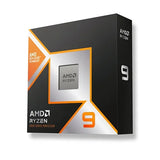
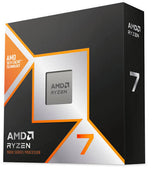
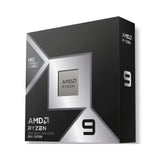
AMD Ryzen and Intel Core are both widely used in gaming PCs, and there's no need to pick one simply because of the brand name. The better choice is the processor that fits your graphics card, budget and the type of games you actually play.
Spending heavily on a high-end CPU while pairing it with a graphics card that isn't powerful enough for your games isn't a great use of the budget. The reverse can cause problems too. A very powerful GPU won't always reach its potential if the rest of the system can't keep up with the workload.
For a gaming-focused computer, look for a processor that gives you the performance you need without taking money away from more important parts of the build.
If you're also going to stream, edit videos, work with 3D applications or run other demanding software, then spending more on the CPU can be easier to justify.
How Much RAM Is Enough for Gaming?
RAM is another specification that can make one gaming PC look much better than another.
You'll often find systems with 16GB, 32GB or 64GB of memory. More RAM sounds better, but that doesn't mean every gamer needs a huge amount of it.
For many games, 16GB RAM is still enough. For a new gaming PC, though, 32GB is a comfortable option if your budget allows it, especially if you tend to multitask while gaming.
Think about a normal gaming session. The game is open, Discord is running, you've got a few browser tabs in the background, Spotify is playing and maybe you're recording gameplay as well. If you stream or edit videos, memory requirements can go up further.
It's also worth looking at the motherboard before buying. Spare RAM slots give you the option of adding more memory later rather than replacing everything you've already installed.
Don't focus only on capacity either. RAM speed, generation and configuration can also matter. A listing that says "32GB RAM" tells you how much memory the PC has, but it doesn't tell you the complete story.
Choose Storage Based on Your Game Library
Storage doesn't usually get people as excited as a new GPU, but you'll notice it quickly once the drive starts filling up.
Modern games can be surprisingly large. Add Windows, applications, recordings, screenshots and personal files, and a 1TB drive may not feel quite as spacious as you expected.
For a modern gaming PC, an SSD is the sensible starting point. NVMe SSDs are common in newer systems and provide quick loading for Windows, applications and games.
For many gamers, 1TB is enough to get started. If you have a large library and like keeping several big games installed at the same time, 2TB can be much more convenient.
The good thing about storage is that it's usually one of the simpler upgrades. If the motherboard has another M.2 slot or supports additional drives, you can add more space later.
Still, having enough storage from the beginning is nice. There isn't much fun in deciding which game to uninstall every time you want to download something new.
Don't Forget About the Gaming Monitor
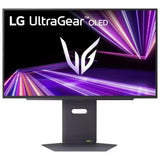
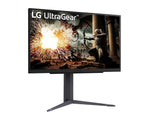
Your gaming PC and monitor should be considered together.
A powerful PC connected to an old 60Hz monitor isn't necessarily a bad setup, but you won't be able to see the full benefit of the frame rates the computer can produce.
The opposite situation can be just as frustrating. You can buy an expensive 4K 144Hz monitor, but if your PC struggles to run your favourite games at 4K, the monitor can't fix the performance problem.
For competitive games, a higher refresh rate can make fast movement feel smoother. For single-player games, you might care more about resolution, image quality and overall picture quality.
When comparing gaming monitors, look at the resolution, refresh rate, response time, panel type, adaptive sync support and screen size.
There's no universal winner here. The monitor should match both your hardware and the games you actually enjoy.
Should You Buy a Pre-Built Gaming PC?
For a lot of buyers, a pre-built PC is the simplest option.
The major advantage is obvious: somebody else has already selected the components, assembled the system and prepared it for use. You don't have to spend hours checking whether a particular CPU cooler fits the case or whether every component is compatible.
That can be especially useful if you're buying your first gaming PC.
Warranty and support can also be easier when you're buying the complete system from one seller rather than purchasing every component separately.
There is one important thing to remember, though. A pre-built PC shouldn't be judged by its GPU alone.
Check the CPU, motherboard, RAM, SSD, power supply and cooling as well. Two machines with the same graphics card can offer very different value depending on what surrounds it.
A good pre-built gaming PC should feel like a balanced system, not just a powerful GPU placed inside a case.
When Does a Custom Gaming PC Make More Sense?
A custom PC gives you much more control over the final system.
Maybe you already know which graphics card you want. Perhaps you prefer a particular motherboard or want a large amount of storage from the beginning. You may even have a specific case and cooling setup in mind.
Building the system yourself allows you to make those decisions.
It can also be a good way to get more value from your budget because you're deciding exactly where your money goes. If you don't care about RGB lighting, for example, you can spend that money on something that actually affects performance.
The downside is the extra work.
You need to make sure the components are compatible, the power supply can handle the system, the cooler fits properly and the graphics card has enough space inside the case. Then comes the assembly itself.
For someone who enjoys working with PC hardware, that's part of the fun. For someone who just wants to play games, a properly configured pre-built PC can be a much easier route.
Decide on a Budget Before Shopping
Gaming PCs have a habit of making people spend more than they planned.
You start with one budget. Then you see a graphics card that's slightly better for a little more money. Then there's a larger SSD. Then you think 32GB RAM would be nice.
Suddenly, the original budget has disappeared.
Set a realistic figure before you start comparing systems. Also remember that the PC may not be your only expense. If you're building a complete gaming setup, you'll probably need a monitor, keyboard, mouse and headset too.
Your gaming habits should influence where you put the money.
An esports player may get more value from a high-refresh-rate monitor than from an extremely expensive GPU. Someone who wants 4K AAA gaming will naturally need to put more of the budget towards graphics performance.
There's nothing wrong with spending more when you actually need the extra performance.
The problem is paying extra for hardware that won't make a noticeable difference to the way you play.
Cooling Matters More Than You Might Think
Cooling isn't usually the first thing people look at when choosing a gaming PC, but it shouldn't be ignored.
The CPU and GPU produce heat while they're working, particularly during long gaming sessions. The cooling system has to move that heat away so the components can maintain stable performance.
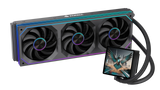
Depending on the hardware, you might see a standard air cooler, a larger tower cooler, an AIO liquid cooler or several case fans.
You don't automatically need liquid cooling. A well-chosen air cooler can be perfectly capable for many gaming systems.
What matters is whether the cooling solution suits the components and whether the case has enough airflow.
This is particularly worth considering when buying a gaming PC in UAE. If the room where you game gets hot, proper airflow becomes even more useful.
And don't mistake RGB for cooling performance. A case full of glowing fans can look impressive while still having poor airflow.
Take the Power Supply Seriously
The power supply isn't an exciting component, but it's one of the places where saving a little money can be a bad idea.
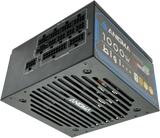
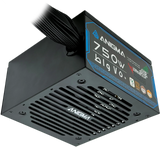
The PSU provides power to the entire system. It doesn't increase your FPS, but every major component depends on it.
Wattage is only part of the equation. A good-quality 850W unit from a reputable manufacturer is a much safer choice than an unknown 1000W unit simply because the latter has a bigger number on the box.
When buying a pre-built PC, check the actual PSU model if possible. If the listing doesn't provide that information, ask the seller.
Future upgrades are another reason to think about the PSU. If you eventually install a more powerful graphics card, some extra capacity can make the upgrade much easier.
It's not the component you'll brag about to your friends, but it's definitely one you don't want to regret choosing cheaply.
Leave Some Room for Future Upgrades
One of the biggest advantages of a desktop gaming PC is the ability to upgrade individual components.
You don't necessarily have to replace the whole computer when something starts showing its age.
More RAM can be added. Storage can be expanded. The graphics card can eventually be replaced. Depending on the motherboard and platform, the CPU may also be upgradeable.
That flexibility depends on the system, though.
Before buying, check the motherboard for spare RAM slots and additional storage support. Look at the case to make sure there's enough room for a larger graphics card. Check the PSU as well, particularly if a future GPU upgrade is part of your plan.
These things may not seem like a big deal when you're comparing PCs right now, but you'll appreciate having them later if you decide to upgrade something.
Which Gaming PC Is Right for You?
The setup that works for you depends a lot on what you actually play. A person who spends most of their time on esports games doesn't need the same PC as someone who wants to play big AAA titles in 4K. So rather than chasing a single "best" configuration, it's better to start with your own games, monitor and budget.
| Gamer | What matters most | Look for |
|---|---|---|
| Casual gamer | Getting good value | A balanced CPU and GPU |
| Esports player | Keeping FPS high | CPU, GPU and a high-refresh monitor |
| 1080p gamer | Smooth gameplay | A decent mid-range GPU |
| 1440p gamer | Sharp visuals with good FPS | A stronger GPU |
| 4K gamer | High settings | A higher-end GPU |
| Streamer | Gaming and other tasks together | Strong CPU, GPU and 32GB RAM |
| Content creator | Editing as well as gaming | CPU, GPU, RAM and plenty of storage |
Use these as general guidelines rather than hard rules. Your budget, games and monitor should have the final say in which hardware you choose. Your own games, monitor and budget should ultimately decide where you put your money.
An esports player might prefer to spend more on a high-refresh-rate monitor. Someone who mainly plays AAA games could get more value from putting that money into the graphics card.
That's why the phrase "best gaming PC" doesn't have one fixed answer.
Where to Buy a Gaming PC in UAE
The UAE has plenty of options when it comes to gaming hardware. That's useful because you can compare different configurations, but it also means you shouldn't make a decision based purely on the price displayed next to the PC.
Look at the complete specification.
Two systems can have the same GPU while using completely different CPUs, motherboards, PSUs, storage and cooling. Those differences can affect the overall value of the machine.
At Anigma, you can browse gaming PCs and individual components for different performance requirements and budgets. You can compare complete systems and also look at individual hardware when putting together a gaming setup.
Shop Gaming PCs at Anigma
You can also look at gaming monitors and accessories if you're building the rest of your setup at the same time.
Before placing an order, check the complete specification and warranty information. If an important component isn't clearly mentioned, ask the seller rather than assuming it's included.
That small check can save you from a fairly annoying surprise after the PC arrives.
Don't Spend Money Just Because a Specification Looks Bigger
A larger number doesn't always translate into a better gaming experience.
Take RAM. If you're mainly gaming and don't use demanding memory-heavy applications, moving from 32GB to 64GB may not be the best use of extra money.
The processor is similar. A top-end CPU may look great in the specifications, but that doesn't mean you'll notice the extra performance while gaming. If your current CPU already handles your games comfortably, putting that extra money toward a better GPU or monitor could give you a more noticeable upgrade.
Then there are the cosmetic upgrades.
There's nothing wrong with wanting an attractive PC. RGB lighting, a glass side panel and a nice-looking case can make a gaming setup look fantastic.
Just keep performance in mind.
If you're choosing between a better graphics card and more RGB at the same price, the graphics card is going to have a much bigger impact on your gaming experience.
Final Thoughts
Choosing the best gaming PC in UAE in 2026 isn't about finding one machine that everyone should buy. The right choice depends on what you play, what monitor you use, how much you're willing to spend and how long you expect the PC to last.
Start with the games rather than the specifications. Decide whether you're aiming for 1080p, 1440p or 4K, then choose a graphics card that suits that target.
After that, look at the processor and make sure it fits the rest of the build. Check the RAM and storage, but don't ignore the less exciting parts either. The motherboard, cooling and PSU all have a role to play.
If you want something simple, a pre-built gaming PC can save you plenty of time. If you enjoy choosing hardware and want complete control over every component, a custom build may be more suitable.
You don't have to spend the maximum amount of money to get a great gaming experience.
The smartest gaming PC is the one that gives you the performance you need today without making you regret your choices later.
FAQs
1. What is the best gaming PC in UAE in 2026?
There’s no single gaming PC that will be the right choice for everyone. If you mostly play games like Valorant or CS2, you can get away with a much simpler setup than someone who wants to play new AAA games at 4K. Have a look at your budget, the games you play most and the monitor you already have, then choose the PC that fits those things. You don't really need to spend extra on hardware you'll never use.
2. Is 16GB RAM enough for gaming?
For most gaming, 16GB is still enough. If you normally have Discord, a browser, Spotify or other apps running while you play, though, 32GB gives you a bit more breathing room. It's also a sensible choice if you're buying a new PC and want to keep it for several years.
3. Is a pre-built gaming PC good for beginners?
For a first gaming PC, going with a pre-built can make things a lot easier. You get a machine that's already put together, so there's no need to spend your weekend picking parts, checking compatibility or figuring out how to assemble everything. Just don't assume every pre-built is worth buying. Have a look at the actual CPU, graphics card, RAM, storage, motherboard, PSU and cooler before you decide.
4. Should I choose 1080p or 1440p gaming?
If you mainly play Valorant, CS2, or other competitive games, sticking with 1080p makes sense. It won't force you to spend a lot on the graphics card, and you can still get the high frame rates you want. If you're after a sharper image, 1440p is a good step up. It looks noticeably better than 1080p, while still being easier to run than 4K.
5. Can I upgrade a gaming PC later?
A desktop gives you a bit more freedom when your needs change. You can add an SSD if the storage starts getting tight, or put in more RAM if your current memory isn't enough. The graphics card is another part you can replace later instead of buying a whole new PC. CPU upgrades aren't possible on every system, so check the motherboard and supported processors before buying. That way, you'll have a better idea of what you can upgrade when the time comes.
SHARE:


