






Best Gaming PC Under AED 5000 in UAE (2026 Buying Guide)
Introduction
If you have around AED 5000 to spend on a gaming PC in the UAE, you actually have a fair bit of room to work with. You are not stuck with entry-level parts, but you also do not need to go anywhere near AED 8,000 or AED 10,000 just to get a setup that plays current games well.
The bigger question is where that money goes.
You will often find two PCs at almost the same price, yet one performs noticeably better. Usually, the difference is simple: one build spends more on the parts that matter for gaming, while the other puts too much of the budget into the case, RGB lighting, or other extras.
At this price, a gaming PC should be able to handle modern games without feeling like a compromise. It should also be perfectly usable for streaming, editing, university work, or whatever else you use the PC for during the day.
A custom gaming PC can make even more sense if you already know what matters to you. Maybe you would rather put more money into the GPU and keep the case simple. Maybe you need extra RAM because you also edit videos. That flexibility is useful when you are trying to get as much as possible out of a fixed budget.
Why AED 5000 Is a Great Budget for Gaming
AED 5000 sits in a pretty comfortable spot for gaming.
You can build something strong enough for current AAA games and competitive titles without paying high-end prices for performance you may not even use. For most people, that is a better balance than spending several thousand dirhams more just to gain a smaller jump in performance.
The same PC does not have to be only for gaming either. A decent system in this range can handle streaming, video editing, graphic design, university assignments, and regular office work without much trouble.
There is also the upgrade side of things.
You might be completely happy with the PC today and then decide a year or two later that you want more storage or extra RAM. Maybe the GPU is the first part you replace further down the line. If the original build uses decent supporting parts, you can make those changes without starting again from zero.
That is probably the biggest advantage of this budget. You can get a capable machine now without boxing yourself into a setup that has nowhere to go later.
Recommended Gaming PC Specifications

With AED 5000 to work with, it is tempting to put most of the money into whichever part looks strongest on paper. That usually is not the best way to build a gaming PC. The CPU and GPU need to make sense together, otherwise you end up paying for performance that the rest of the system cannot really use.
Processor (CPU)
For a build in this range, something like a Ryzen 5 or a recent Intel Core i5 is usually enough. Both give you plenty of performance for modern games, and they are also comfortable with everyday stuff like browsing, streaming, Discord, or a bit of editing on the side.
You can look at a Ryzen 7 or Core i7 as well, but I would not force one into the build if it means cutting too much from the graphics card budget. A more expensive CPU sounds good, but in a gaming-focused PC it does not always translate into a noticeably better experience.
The sensible choice is simply a processor that can keep up with the GPU you plan to use. There is no real need to overdo it.
Graphics Card (GPU)
This is the part I would spend more time comparing.
For an AED 5000 build, the RTX 4060 can still be a decent fit. The RTX 5060 is another one to look at if the price works within the rest of the build. It is also worth checking AMD Radeon RX cards instead of automatically going with NVIDIA, because the better deal can change depending on what is in stock and how it is priced in the UAE.
Have a look through the available GPUs, but compare them around the games you actually play.
If you are staying at 1080p, there is little point in paying for more GPU than you need. Someone moving to 1440p, on the other hand, has a reason to spend a bit more here. The games themselves matter as well. Esports titles are generally much easier to run than newer AAA releases.
So rather than chasing the newest model, pick the card that fits your resolution, your games, and the rest of the AED 5000 build.

Memory (RAM)
For a gaming PC in 2026, 16GB of DDR5 is a comfortable place to start. Most games will run fine with that, and you still have enough memory left for things you normally keep open in the background, like Discord, a few browser tabs, Spotify, or a game launcher.
RAM is not the kind of upgrade that suddenly gives you a huge frame-rate boost. You notice it more when there is not enough. The PC starts feeling heavy, switching between apps takes longer, and some games can stutter once too many things are running at the same time.
If you only game, 16GB should be enough for most people. If you stream, edit videos, or tend to leave a lot of programs open, then 32GB starts to make more sense.
Storage
For the main drive, I would skip a traditional hard drive and go straight for an SSD.
A 1TB NVMe SSD feels about right for a build in this price range. It gives you enough room for Windows, your regular apps, and a decent number of games without having to clear space every few weeks.
The difference is mostly in how the PC feels to use. Windows starts quicker, games load faster, and apps open without that long pause you get from older hard drives.
It will not necessarily give you more FPS, but once you are used to gaming from an SSD, going back to a hard drive feels painfully slow.
Cooling
Cooling is one of those things that does not need to be fancy to work well.
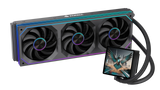
A case with decent airflow and a few properly placed fans is enough for many gaming builds. A good air cooler can handle most mid-range CPUs without a problem, so liquid cooling should be treated as an option rather than something every gaming PC needs.
The real goal is simple: keep heat moving out of the case.
If temperatures stay under control, the CPU and GPU can hold their performance more consistently during long gaming sessions. You also avoid having the fans screaming at full speed every time you launch a demanding game.
Power Supply
The power supply is probably the least interesting part of the build to shop for, but it is one of the parts I would be careful with.
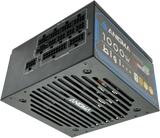
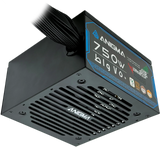
For a setup around AED 5000, something in the 650W to 750W range should suit a lot of builds, although the exact requirement depends on the CPU and GPU you choose. An 80+ Bronze-rated unit from a reliable manufacturer is a reasonable starting point.
There is no point spending good money on a graphics card and processor, then powering everything with the cheapest PSU you can find.
A decent power supply also leaves some room for later. If you upgrade the GPU in a couple of years, you may be able to keep the same PSU instead of changing half the system again.
Games You Can Play Smoothly
An AED 5000 gaming PC should give you a pretty wide choice of games, assuming the build is put together sensibly.
Counter-Strike 2, Valorant, Fortnite, Apex Legends, PUBG, GTA V, and EA FC 26 are all the sort of games you would expect a PC in this range to handle without much trouble.
Heavier titles such as Call of Duty Warzone, Cyberpunk 2077, and Red Dead Redemption 2 are also very playable, but this is where the exact hardware starts to matter more.
A build with a stronger graphics card will obviously cope better with higher settings or 1440p than one where more of the budget went into the CPU or storage.
So the AED 5000 price tag alone does not tell you the whole story. The actual CPU, GPU, and the resolution you plan to play at matter much more.
Pre-Built vs Custom Gaming PC
A pre-built gaming PC is a perfectly reasonable choice if you do not want to spend time putting the system together yourself.
You can take it out of the box, set up Windows and your games, and get on with it. There is no need to install the CPU, route cables, mount the cooler, or figure out which connector goes where.
For someone buying their first gaming PC, that can make the whole process a lot less stressful.
There is also the warranty side of it. With a pre-built, you are usually dealing with one complete system rather than several different component warranties if something goes wrong.
I would still read the parts list carefully, though.
A nice-looking case and a wall of RGB fans can make almost any PC look expensive. What actually matters is the hardware inside: the processor, graphics card, RAM, storage, cooling, and power supply.
If those parts are well chosen and balanced, a pre-built can be an easy way to get a strong gaming setup without having to build the whole thing yourself.

Choose a Custom Gaming PC If:
A custom PC is worth considering when you do not want to be stuck with someone else's parts list. You can decide where the money should go based on the way you use the computer.
For example, a gaming-focused build may deserve more budget for the graphics card, while someone who also edits videos or works with 3D software may want a stronger CPU and more memory. You are not paying for parts you do not really care about just because they came with the system.
There is another benefit that becomes more important later: upgrades. If you choose a decent motherboard, power supply and case now, replacing the GPU or adding more storage a couple of years from now should be much easier.
At Anigma, you can buy a ready-made PC or use the Build From Scratch option if you would rather choose your own setup.
Common Mistakes to Avoid
Most bad PC purchases are not caused by one terrible component. More often, the problem is that the parts simply do not make much sense together.
It is easy to see a powerful graphics card and assume the whole PC must be good. The PSU may be weak, the cooling may be poor, or the system may have very little RAM. Those details matter once you actually start using the machine.
Buying an Underpowered Power Supply
People rarely get excited about buying a power supply, so it is often one of the first places where the budget gets cut.
That is not always a good idea.
The PSU has to supply everything inside the PC, and a stronger graphics card can change the power requirements quite a bit. A unit that is already close to its limit leaves very little room for future upgrades.
You do not need to buy something massively oversized. Just go with a reliable PSU that suits the current hardware and leaves a sensible amount of headroom.
Choosing Only 8GB RAM
For a new gaming build in 2026, 8GB is difficult to recommend.
A game is rarely the only thing running. Discord is open, a browser is sitting in the background, launchers are running, and Windows itself needs memory too. Once all of that adds up, 8GB can feel restrictive pretty quickly.
Starting with 16GB of DDR5 makes much more sense for most gamers. If you also stream, edit, or do heavier multitasking, 32GB is worth considering.
Ignoring Cooling
A PC does not need to look like a science experiment to have good cooling.
What it does need is a decent path for air to move through the case.
A couple of well-placed fans and a suitable CPU cooler are enough for many builds. Problems usually start when the case has poor ventilation or hot air has nowhere to go.
If temperatures stay reasonable, the system is generally quieter and can hold its performance better during longer gaming sessions.
Buying Without Future Upgrades in Mind
You do not have to plan the next five years of upgrades before buying a PC. It is still worth thinking one step ahead, though.
Maybe you will want another SSD later. Maybe your next graphics card will be larger or need more power. Having an extra M.2 slot, some PSU headroom, and enough room inside the case can make those changes far less annoying.
A little flexibility now can save you from replacing perfectly good parts later.
Not Comparing Specifications
Do not compare two gaming PCs by looking at only the GPU.
Check the processor, RAM, storage, motherboard, PSU and cooling as well. Warranty is worth looking at too.
Sometimes the machine with less RGB and a simpler case is actually the better deal because more of the money has gone into the hardware that matters.
Why Buy Your Gaming PC from Anigma?
Some buyers know exactly which CPU and GPU they want. Others just want a gaming PC that works properly without spending hours comparing every component.
Anigma covers both sides.
You can choose a pre-built system if convenience matters more to you, or go with a custom build when you want more say over the hardware. Components and gaming accessories are available separately as well, which is useful if you already own a PC and only need to change a few parts.
Professional assembly also removes the hassle for people who want a custom machine but do not particularly want to build it themselves.
The same applies to upgrades. You may not need a completely new computer when the old one starts slowing down. Sometimes adding more RAM, changing the GPU or installing a larger SSD is all that is needed.
Technical support can also help when compatibility becomes confusing, particularly with motherboards, CPUs, power supplies and newer graphics cards.
Recommended Accessories
Once the PC is done, you can think about the things around it.
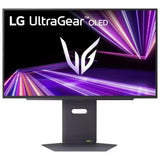
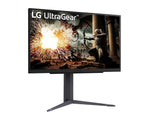
The monitor probably makes the biggest difference. If the PC can deliver high frame rates but you are still using an older 60Hz display, part of that performance is going to waste.
Keyboard and mouse choice is more personal. Some people love mechanical keyboards, while others care more about comfort than switches and features. A mouse should feel comfortable in your hand before anything else.
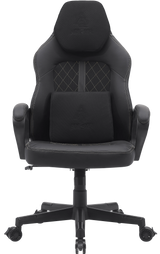
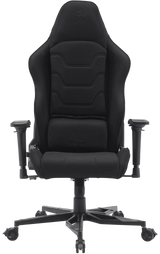
A headset is useful for voice chat and multiplayer games, and a decent mousepad gives you a consistent surface to play on. The chair matters too if you spend several hours at the desk.
There is no need to buy the entire setup in one day. The PC can come first, and the rest can be improved over time.
Frequently Asked Questions
1. What is the best gaming PC under AED 5000 in the UAE?
There is no single parts list that will be the best choice every week because PC prices change quite often.
A Ryzen 5 or recent Core i5, 16GB of DDR5 memory, a capable mid-range graphics card and a 1TB NVMe SSD would be a sensible starting point for many builds around this price.
From there, it depends on the games you play and the resolution you want to use.
2. Can I play AAA games with a gaming PC under AED 5000?
Yes. You can play plenty of demanding games on a well-balanced PC around this budget.
Cyberpunk 2077, Red Dead Redemption 2, Call of Duty Warzone, GTA V and EA FC 26 are all realistic examples.
That does not mean every game will automatically run at Ultra settings. The GPU, processor and resolution still decide what kind of frame rate you get. Adjusting a few settings in heavier games is completely normal.
3. Is a custom gaming PC better than a pre-built PC?
Not in every situation.
A custom PC is great when you want to choose exactly where the budget goes and perhaps leave room for specific upgrades later.
A pre-built is easier. It arrives assembled and tested, and you do not have to spend time installing parts or sorting out the build yourself.
The better option is really the one that suits how involved you want to be.
4. How much RAM is recommended for gaming in 2026?
For a new gaming PC, 16GB of DDR5 is a sensible starting point.
That should cover gaming and the usual background apps for most users. Someone who streams, edits video or keeps a lot of software open may be more comfortable with 32GB.
5. Which graphics card should I choose?
Start with your monitor and the games you play.
An RTX 4060, RTX 5060, or a similarly priced Radeon card could all make sense around this budget depending on current prices.
A person playing esports at 1080p does not necessarily need the same GPU as someone who wants demanding AAA games at 1440p. That is why comparing real gaming performance is more useful than choosing by model name alone.
6. Should I buy a gaming PC or build one myself?
Building a PC yourself gives you complete control and can be enjoyable if you are interested in the hardware side of things.
Not everyone wants to spend an evening installing a cooler and routing cables, though.
If you prefer something simpler, a professionally assembled system gives you the custom hardware without having to physically build it yourself.
7. Can I upgrade my gaming PC later?
Usually, yes.
RAM and storage are among the easiest things to add. The graphics card can normally be replaced too, as long as the case has enough space and the power supply can handle the new card.
CPU upgrades need a little more checking because motherboard compatibility can limit your options.
8. Where can I buy a gaming PC in the UAE?
Anigma offers pre-built gaming PCs, custom builds, individual PC parts, gaming accessories and upgrade services across the UAE.
You can start with a complete system or simply replace the parts you need if you already have a PC.
Final Thoughts
The best gaming PC under AED 5000 in UAE is not necessarily the one with the longest specifications list.
What matters is whether the parts suit each other.
Spending heavily on the GPU while using a weak PSU or very little RAM can create a poor overall build. Spending too much on the CPU and then settling for a weaker graphics card is not ideal for a gaming-focused machine either.
Think about what you actually plan to do with the PC. A competitive gamer playing at 1080p has different requirements from someone playing AAA games at 1440p while streaming.
Once you know that, it becomes much easier to decide where the AED 5000 should go.
At Anigma, you can choose from pre-built gaming PCs, custom systems, PC components and accessories depending on whether you want something ready to use or prefer to build around your own requirements.
Call to Action
Ready to choose your next setup?
Browse Anigma's Gaming PC Collection, put together your own system through Build From Scratch, or contact our experts if you want help deciding which parts make the most sense for your budget.
SHARE:


