






Gaming PC Build in UAE: Complete Guide to Choosing the Right Parts
Building a gaming PC is not as complicated as it first seems, but choosing the right parts can take some time. There are dozens of CPUs, graphics cards, motherboards, RAM kits and storage options available, and the price can change quickly depending on what you put together.
The important thing is not to buy the most expensive hardware you can afford. A good gaming PC build is one where the parts suit the games you play, the monitor you're using and the other things you want to do with the computer.
Someone playing Valorant at 1080p will have very different requirements from someone playing new AAA games at 1440p or 4K. If you also stream, edit videos or use the PC for work, those needs should be considered before choosing the components.
If you're planning a gaming PC build in UAE, this guide will help you understand what each part does and where your budget is usually best spent.

Decide What You Want From Your PC
Start with the games rather than the hardware.
Think about what you play most often and how you want those games to look and run. Competitive games generally put different demands on a PC than graphically demanding single-player titles.
Your monitor is worth considering at the same time. There's a big difference between building for 1080p and building for 4K, and buying hardware without considering the display can leave you spending money in the wrong places.
It also helps to think beyond gaming. If the same PC will be used for streaming, video editing, programming, design work or other demanding tasks, the CPU, RAM and storage may need more attention.
Before choosing parts, have a rough idea of:
-
The games you normally play
-
Your monitor resolution
-
Your target FPS
-
Whether you stream or create content
-
How much storage you need
-
Your overall budget
-
Whether you may upgrade the PC later
You don't need to know the exact components at this stage. Knowing what you want the machine to handle is enough to narrow things down.
Gaming PC Build for 1080p Gaming
1080p remains a popular choice, particularly for competitive gaming.
If your main games are Valorant, CS2, Fortnite or similar titles, you can achieve high frame rates without building an extremely expensive system. In this type of setup, the CPU can be important when you're trying to push very high FPS, while the GPU still needs to be capable of delivering the performance your games require.
A good 1080p setup also makes sense if you're using a 144Hz, 165Hz or similar high-refresh-rate monitor.
There's no real benefit in buying a very powerful GPU simply because you can afford it if your games and monitor aren't going to make use of that extra performance.
Gaming PC Build for 1440p
1440p sits in a useful middle ground between 1080p and 4K.
The image is sharper, but the hardware requirements aren't as demanding as they are at 4K. For many gamers, this makes 1440p a good target for a new PC.
The graphics card deserves more attention here, especially if you want to play newer games at high settings. Your choice will also depend on whether you're happy with a lower frame rate in demanding games or want to keep FPS high.
If you're building around a 1440p monitor, choose the GPU based on the games you actually play rather than simply looking at its position in a product range.
Gaming PC Build for 4K
4K gaming needs considerably more graphics performance.
A game rendered at 4K has many more pixels to deal with than the same game at 1080p, and high settings can add even more work for the GPU. Ray tracing can increase the load further.
If 4K is your target, a capable graphics card should take a larger share of your budget. The rest of the PC still matters, though. The CPU needs to be suitable for the GPU, while the PSU and cooling need to be able to handle the system.
It's also worth checking your monitor before building specifically for 4K. If you're using a 1080p display, you won't see the benefit of all that extra GPU performance.
Choosing the Right Graphics Card
The graphics card is usually one of the biggest decisions in a gaming PC build.
It has a direct effect on gaming performance, but the “best” GPU changes depending on what you're playing and at which resolution.
For lighter games, a mid-range card may be more than enough. Demanding AAA games at 1440p or 4K can require considerably more graphics power.
When comparing GPUs, look beyond the model name and think about how you'll actually use the card.
Consider:
-
Target resolution
-
Games you play
-
Desired frame rate
-
Graphics settings
-
Ray tracing requirements
-
Monitor refresh rate
-
Your upgrade plans
Spending your entire budget on the GPU isn't always the right move. The rest of the system needs to be capable of supporting it.
Choosing a CPU for Your Build
The processor handles a lot of work behind the scenes while you're playing.
It deals with game logic, calculations, background applications and other tasks. Its effect can be particularly noticeable in CPU-heavy games and when you're aiming for very high FPS.
The CPU should make sense alongside your graphics card. There's little value in pairing a very expensive processor with a graphics card that can't take advantage of it, just as there's little point in putting a powerful GPU behind a processor that holds it back in the games you play.
Your other uses matter here too. Someone who only plays games may have different CPU requirements from someone who streams, edits videos or uses demanding software every day.
AMD vs Intel
Both AMD and Intel have plenty of processors suitable for gaming, so choosing between them doesn't need to become a complicated decision.
Look at the particular processor, its performance and the cost of the motherboard and memory that go with it.
Compatibility is important. Before buying a CPU, make sure the motherboard supports it and check what upgrade options the platform provides.
If you're putting together a PC that you plan to keep for several years, the platform can be just as important as the processor itself.
How Much RAM Does a Gaming PC Need?
For most gaming-focused builds, 16GB is a sensible starting point.
It can handle gaming alongside normal everyday tasks without taking too much of the budget. If you're streaming, editing videos, running virtual machines or regularly working with several demanding applications, 32GB can be a better fit.
More RAM isn't automatically going to increase your FPS, so there's no need to spend heavily on memory that you won't use.
When buying RAM, check the motherboard's supported memory type, capacity and available slots. Leaving room for another kit later can also be useful if you're trying to control the initial cost.
Picking the Right Storage
A fast SSD makes everyday use much nicer, and modern games can take up a lot of space.
For a new PC build UAE buyers are putting together, an NVMe SSD is a practical choice for the main drive. It gives you fast access to Windows, applications and games without relying on an older mechanical hard drive.
For many gamers, 1TB is a reasonable starting point. If you have a large library or also keep recordings, projects and other files on the PC, 2TB may be more convenient.
Before choosing your drive, check:
-
Available capacity
-
NVMe or SATA connection
-
Number of M.2 slots
-
Additional drive support
-
Your expected storage requirements
There's nothing wrong with starting with one SSD and adding another later if the motherboard has room for it.

The Motherboard: What Should You Look For?
The motherboard connects the major parts of the PC, so compatibility should come before appearance or extra features.
It needs to support your CPU and RAM and provide the connections you need for storage, graphics and other devices.
A motherboard can also affect your future upgrade options. If you think you'll add more RAM or another SSD later, check how many slots are available before making a decision.
You don't necessarily need a premium motherboard. Unless you have a specific reason to pay more, a reliable board with the features you actually need is usually enough.
Cooling and Airflow
Cooling becomes more noticeable when the PC has been running hard for a while.
During a long gaming session, the CPU and GPU produce heat, so the cooler and case airflow need to deal with it properly. A suitable CPU cooler combined with sensible airflow can help keep temperatures under control.
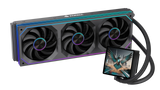
The right cooling setup depends on the hardware. A straightforward air cooler may be enough for one build, while another system may benefit from a larger cooler or AIO.
Don't choose cooling based purely on appearance. A huge cooler or liquid setup isn't necessary for every gaming PC. Match the cooling to the processor and make sure the case has enough airflow.
Don't Cheap Out on the Power Supply
The PSU doesn't add FPS, which is probably why it gets less attention than the GPU or CPU.
It still deserves some thought.
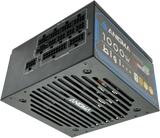
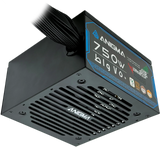
The power supply needs to provide enough power for the entire system, with suitable headroom for normal operation and possible upgrades. This becomes particularly important with higher-end graphics cards.
Look at the PSU's quality and reputation rather than choosing one purely because it has the lowest price.
A reliable power supply is one of those parts you may not notice when everything is working properly—and that's exactly how you want it.
Choosing a Case
The case is another component where looks can sometimes distract from the practical details.
Before buying one, check that your graphics card will fit and that there is enough clearance for the CPU cooler. The motherboard size, radiator support and fan mounting options should also match the rest of the build.
Airflow is worth checking as well. A case with sensible ventilation can make it easier to keep temperatures under control.
RGB lighting is completely fine if you like it. Just make sure the case works for the hardware first.
Custom PC or Prebuilt Gaming PC?
Both options have their place.
A prebuilt gaming PC is convenient because the system is already assembled. You don't have to spend hours researching whether individual components will work together, and you can get straight to setting up your games.
A custom gaming PC gives you more control over the final specification.
You might want to spend more on the GPU and less on the case. Maybe you need 32GB of RAM but don't care about having an expensive motherboard. Or perhaps storage is more important because you have a large game library.
With a custom build, those decisions are yours.
For people with specific performance requirements, a custom PC builder can make it easier to put together a system around those requirements rather than starting with a fixed configuration.
Build a Custom Gaming PC With Anigma
If you want to choose the components yourself, Anigma's PC Builder UAE gives you the option to create a system based on your requirements.
You can select the main components, including the processor, motherboard, graphics card, RAM, storage, cooling, power supply and case. This gives you more control over the final configuration instead of having to accept a fixed combination of parts.
Build Your PC From Scratch with Anigma
This approach can be useful if you already know what you're looking for, whether that's a 1080p esports machine, a 1440p gaming PC or a higher-end system for 4K gaming and content creation.
How to Build Around Your Budget
It's very easy to start with one budget and finish with something completely different.
A slightly faster CPU looks tempting. Then there's a better GPU, more storage, extra RAM and a nicer case. Suddenly the total is much higher than you originally planned.
Set your target before choosing the parts.
If gaming is the priority, decide on the resolution and the games first. From there, choose the GPU and then find a CPU that fits the level of performance you're aiming for.
After that, work through the supporting parts.
This gives you a much clearer idea of where your money should go.
Common Mistakes to Avoid
A few simple mistakes can make a gaming PC more expensive without making it noticeably better.
Buying a graphics card that's far beyond your needs: If you only play esports titles at 1080p, a very high-end GPU may be unnecessary.
Ignoring the monitor: Your display should be part of the decision. There's little reason to build for 4K if you're using a 1080p monitor.
Choosing parts individually without checking compatibility: CPU, motherboard, RAM, cooler and case dimensions all need to work together.
Saving too much on the PSU: A cheap power supply isn't a sensible place to cut the budget.
Forgetting about storage: Modern games are large, and your drive can fill up faster than expected.
Ignoring airflow: Powerful hardware needs proper ventilation, especially during long gaming sessions.
Spending the whole budget on the tower: Keep some money available for the monitor and peripherals if you need them.
Should You Plan for Future Upgrades?
You don't need to predict exactly what hardware you'll buy three years from now.
Still, a little planning can save you trouble later.
An extra RAM slot, another M.2 slot or a case with room for additional hardware can make future upgrades easier. A PSU with reasonable headroom can also help if you eventually move to a more powerful GPU.
At the same time, don't spend a large amount today on upgrades you may never make. Build for what you need now and leave sensible options open for later.
Gaming PC Build Checklist
Before you finalize your gaming PC build in UAE, check the complete system rather than looking at the parts separately.
-
Is the GPU suitable for your target resolution?
-
Is the CPU a good match for the GPU?
-
Does the motherboard support the CPU and RAM?
-
Is 16GB enough, or would 32GB suit your workload better?
-
Do you have enough SSD storage?
-
Can the PSU comfortably handle the system?
-
Does the CPU cooler fit the case?
-
Will the graphics card physically fit?
-
Does the case have reasonable airflow?
-
Are there useful upgrade options available?
-
Does your monitor match the performance of the PC?
These checks don't take long, but they can prevent expensive mistakes.
Final Thoughts
A good gaming PC build doesn't have to be the most expensive one you can put together.
Start with the games you play and the resolution you want. That gives you a much better starting point for choosing the graphics card. From there, choose a CPU that fits the build and make sure the motherboard, RAM, storage, cooling and PSU are all suitable.
For 1080p esports gaming, there's little reason to spend like you're building a 4K machine. If you're targeting 1440p or 4K AAA games, the GPU will usually deserve a larger part of the budget.
And if you want more freedom over the components, a custom setup can be a practical option.
Anigma's PC Builder lets you choose the main parts of your system and put together a configuration around your own requirements. That means you can spend where performance matters to you instead of paying for hardware you don't really need.
For anyone researching a gaming PC build in UAE, that's ultimately what you want: a system that fits the games you play, works well with your monitor and gives you good use out of the money you've spent.
FAQs
How much does a gaming PC cost in the UAE?
That depends on what you're building. A basic PC for games like Valorant won't cost the same as a machine made for 1440p or 4K gaming. The graphics card, processor and the rest of the parts can all push the price up or down.
Which part matters most in a gaming PC?
If gaming is the main reason you're building the PC, the graphics card is usually where I'd put more of the budget. It has the biggest effect on what settings you can run and how smoothly your games play. Just make sure the processor isn't badly mismatched with it.
Is 16GB RAM enough?
For a PC used mainly for gaming, 16GB will do the job for most games. If you're the type who games with a browser, Discord, streaming software and other programs open, 32GB gives you a bit more room.
1080p or 1440p - which one should I pick?
For competitive games, 1080p still makes a lot of sense, particularly if you're using a fast monitor. 1440p is worth the jump if you care more about image quality and play newer, heavier games. Keep in mind that the higher resolution asks more from the GPU.
Do I need a high-end GPU for 1080p?
Not unless the games you're playing actually call for it. Many competitive and lighter games run perfectly well on a mid-range graphics card. It's better to choose a card around your games and target FPS than to pay extra for performance you'll never use.
Is a custom PC better than a prebuilt?
Neither is automatically better. A prebuilt saves you the time of picking every component and putting everything together. A custom build is more flexible, so you can put more of your budget into the parts that matter to you.
Can I upgrade a gaming PC later?
That's one of the nice things about using a desktop. You can add more storage or RAM when you need it, and the graphics card can be swapped out for a newer one. The CPU is a different story, since the upgrade options depend on the motherboard and socket.
What should I check before buying one?
Have a proper look at the parts before you buy. Check which CPU and GPU are included, how much RAM and storage you get, and what motherboard, PSU and cooling the PC uses. Also make sure the case can handle the hardware and that you won't run into problems if you decide to upgrade it later.
SHARE:


