






Gaming PC Price in UAE: What Affects the Cost?
Introduction
If you're shopping for a gaming PC in the UAE, you'll notice pretty quickly that prices can be quite different. One PC might be reasonably priced, while another can cost a lot more even though both look almost the same at first glance.
The difference usually comes down to what's inside. The graphics card, processor, RAM, storage and other components can change both the price and the kind of games the PC can handle. A PC that's perfectly fine for Valorant or CS2 may not be enough if you're planning to play newer AAA games at 1440p or 4K.
So before you decide that one PC is a better deal than another, it's worth knowing what you're actually paying for. This guide breaks down the main things that affect **gaming PC prices in the UAE** and what to check before you buy.

Why Gaming PC Prices Can Be So Different
The price of a gaming PC isn't just about how the case looks or how much RGB lighting it has. Most of what you're paying for is the hardware inside. The graphics card and processor usually make up a big part of the cost, but RAM, storage, cooling, the power supply and even the quality of the case can push the price up or down.
It's also worth looking at things such as the warranty, after-sales support and whether you can upgrade the PC later. A machine with a slightly higher price can sometimes be the better deal if it comes with better components and gives you more room to upgrade.
A well-balanced PC is usually a smarter buy than one that spends most of its budget on a single powerful component while cutting corners everywhere else.
What Actually Changes the Price of a Gaming PC?
Graphics Card
The GPU is usually one of the first things to check when comparing gaming PC prices. It has a major effect on the frame rates you can get, the resolution you can play at and the graphical settings you can use.
If you're mostly playing esports or lighter games, you may not need an expensive graphics card. Things change when you move to newer AAA games, especially at 1440p or 4K. A more powerful GPU becomes much more useful in that situation.
So when comparing two PCs at different prices, check the actual graphics card rather than judging the system by its appearance or the price alone. A cheaper PC isn't necessarily better value if the GPU can't deliver the performance you need.
Processor
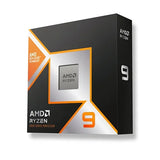
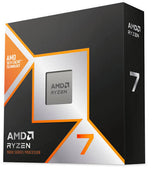
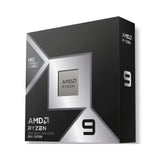
The CPU is another important part of the overall price. It works alongside the graphics card and handles plenty of tasks while you're gaming.
A decent processor can also make a difference if you stream, edit videos, keep several programs open or use the PC for work as well as gaming.
What you want is a CPU that makes sense with the GPU. There's little benefit in spending heavily on an expensive processor if the rest of the system can't take advantage of it. At the same time, pairing a powerful graphics card with a processor that struggles under load isn't ideal either.
RAM
RAM affects how comfortably your PC can handle games and other programs at the same time.
For many gamers, 16GB is still a perfectly reasonable starting point. If you stream, edit videos, use heavier applications or tend to multitask while gaming, 32GB gives you more breathing room.
The price of RAM can also vary depending on its capacity, speed and generation. It's worth checking whether the motherboard has spare slots too, especially if you think you may want to add more memory later.
Storage
Storage is another area where the price can change depending on what you choose. An SSD is the sensible option for a modern gaming PC because it makes Windows, applications and games load much faster than an older mechanical hard drive.
NVMe SSDs are common in newer systems and are a good choice if you want fast everyday performance.
Before buying, look at more than just the storage capacity. Check what type of SSD is installed and whether there's room for another drive later. Modern games can take up a lot of space, so having enough storage from the start can save you some hassle.
Cooling
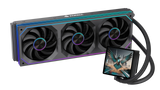
Don't ignore the fans and cooler when you're checking a gaming PC. Long gaming sessions put a lot of heat through the CPU and GPU. That's why a decent cooler and good airflow in the case are worth having.
The type of cooling you'll get depends on the hardware. Some PCs use a simple air cooler, while others come with a bigger CPU cooler, an AIO or extra fans in the case. You don't have to spend a lot on cooling either. What matters is whether it can handle the components inside the PC and whether the case lets enough air move through it.
Power Supply and Build Quality
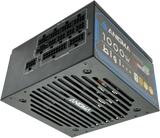
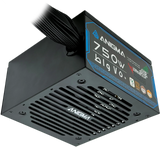
The PSU is easy to forget when you're looking at a gaming PC, especially when you're more interested in the GPU and CPU. Still, it's something worth checking before you buy. Make sure it has enough wattage for the hardware in the PC and that you're getting a decent-quality unit.
The case and the other parts shouldn't be ignored either. Check whether the case has enough airflow, whether the components are from known brands and whether there's enough room inside for future upgrades.
Two PCs can have the same graphics card and still be very different in terms of overall quality. So don't compare them by the GPU alone.
Prebuilt or Custom Gaming PC?
Your choice between a prebuilt and custom PC can also affect what you pay.
Prebuilt Gaming PC
A prebuilt gaming PC is already assembled, so you don't have to spend time choosing every component or putting the system together yourself. For someone buying their first gaming PC, that convenience can be worth a lot.
You also have one seller to deal with for warranty and support, rather than buying different components from several places.
Just make sure you check the complete specification before buying. A prebuilt isn't automatically a good deal simply because it has a well-known GPU.
Custom Gaming PC
With a custom gaming PC, you get to decide where your money goes. You can choose the CPU, graphics card, RAM, storage, cooling and other components according to your needs.
This can be useful if you already know what you want from the system. You might want to spend more on the GPU, add extra storage or choose a particular motherboard because you plan to upgrade later.
The main advantage is flexibility. Instead of adjusting your needs around a fixed PC, you can build the system around the way you actually intend to use it.
Gaming PC Price Ranges in UAE
Gaming PCs in the UAE cover a fairly wide range of prices because different systems are aimed at different types of users.
Entry-Level Gaming PCs
Entry-level systems are generally aimed at people who play lighter games, esports titles or simply want a PC that can handle gaming alongside everyday tasks.
They can be a sensible starting point if you're new to PC gaming and don't need high-end performance.
Mid-Range Gaming PCs
If you want decent gaming performance but don't want to spend a crazy amount on a PC, the mid-range options are probably where you should look first. You can get a system that runs most games well without paying for the kind of hardware you may never really use.
Just keep an eye on what's actually inside the PC. One mid-range machine can be quite different from another. Check the graphics card, CPU, RAM and SSD before comparing the prices. A little extra money can sometimes get you a much better GPU, while other upgrades may not make much difference for gaming.
High-End Gaming PCs
High-end PCs are mainly for people who want more from their games. If you're playing new AAA titles, using a 4K monitor, or trying to keep FPS high at 1440p, the extra GPU power can be useful.
They're also worth considering if you use the PC for things like streaming or video editing. You'll normally be looking at a better graphics card and processor, along with more RAM and stronger cooling. Just make sure you're getting a well-rounded system. There's not much point in having an expensive GPU if the rest of the PC hasn't been built to match it.
How to Pick the Right Gaming PC for Your Budget
Before you start comparing prices, think about how you're actually going to use the PC.
Ask yourself what games you play, whether you want 1080p, 1440p or 4K, how much FPS you're aiming for and whether you'll be streaming or editing videos. If you're planning to upgrade later, check whether the system gives you enough room to do that.
Also remember that your PC may not be the only thing you need to buy. If you're starting from scratch, you'll need to account for the monitor, keyboard, mouse, headset and any other accessories.
The goal isn't to find the most expensive PC you can afford. It's to spend your money where you'll actually notice the difference.
Don't Forget About the Monitor and Accessories
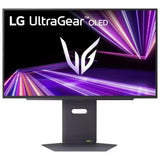
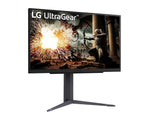
A gaming PC is only part of the setup. The monitor you're using can have a big effect on how much you actually get out of the hardware.
For example, there's not much point in buying a PC capable of very high frame rates if you're going to use it with a basic 60Hz display. On the other hand, a high-end 4K monitor won't magically make a weaker PC run demanding games smoothly.
Keep the monitor, keyboard, mouse and headset in mind when working out your total budget. It's better to have a balanced setup than spend everything on the PC and have nothing left for the rest.
Warranty and Support
Warranty isn't usually the first thing you think about when you're picking a gaming PC. Most people are busy comparing graphics cards, processors and prices. Still, it's worth checking what happens if something stops working after you take the PC home.
Having a seller that can help with troubleshooting, replacement parts or warranty issues can save you a lot of hassle. The same applies if you need help choosing an upgrade later. If two PCs are close in price, better support can be a good reason to choose one over the other.
Final Thoughts
Gaming PC prices in the UAE aren't the same because the PCs aren't the same either. The graphics card and processor usually have the biggest effect on the price, but things like RAM, storage, cooling and the power supply add to it as well.
Rather than going straight for the cheapest PC, check what's actually inside it. At the same time, there's no need to spend a fortune on hardware that you won't use. Think about the games you play, the resolution you want and how you plan to use the PC, then spend your money accordingly.
If you're comparing options, Anigma has gaming PCs, custom builds, components, monitors and other gaming accessories, so you can find the parts or setup that suit your needs.
SHARE:


