






PC Build UAE: How to Build a Gaming PC
Building a gaming PC gets confusing when you start with individual parts instead of the kind of system you actually want. One person may be trying to get the highest possible frame rate in competitive games, while another wants a machine for 1440p gaming, editing and everyday work. Those two builds should not look the same.
For anyone planning a PC build in UAE, the easiest way to avoid wasting money is to work backwards from the games, monitor and budget. Once those three things are clear, choosing the CPU, GPU and the rest of the hardware becomes much simpler.
You also do not need to buy everything from the highest tier. A balanced PC usually feels better than a build where most of the budget has gone into one expensive component.

Decide What the PC Is Actually For
Before opening ten product tabs, think about how the system will be used.
If you mainly play esports titles at 1080p and want very high frame rates, CPU performance can matter a lot. If you are building for visually demanding games at 1440p or 4K, the graphics card usually deserves a larger share of the budget.
The same applies to non-gaming work. Streaming, video editing, 3D work and other heavier applications can change how much CPU power and RAM you need.
This sounds obvious, but it saves a lot of unnecessary upgrading later. A PC built around a clear use case is easier to budget and easier to keep balanced.
Work Out the Budget Before Choosing Parts
A common mistake is starting with the GPU, getting excited about a higher model, and then trying to squeeze everything else into whatever money is left.
That usually means compromises somewhere important.
A complete gaming PC build needs more than a graphics card and processor. You still need a motherboard, memory, storage, power supply, cooling and a case. If the setup is completely new, the monitor and peripherals may also be part of the same budget.
It helps to leave a little flexibility rather than spending every dirham on the first two components you choose.
Choose the GPU Around Your Monitor
For most gaming systems, the graphics card has the biggest effect on how games actually look and run.
At 1080p, a sensible mid-range GPU can already deliver strong results in many games. At 1440p, extra graphics performance becomes more useful, especially if you are targeting higher settings or a fast refresh rate. Moving to 4K increases the workload again.
That is why the monitor matters so much.
If you are using a 1080p 60Hz display, buying a GPU aimed at very high-refresh 1440p or 4K gaming may not be the best use of the budget. On the other hand, if a monitor upgrade is already planned, it makes sense to choose the GPU with that in mind.
The goal is not to buy the fastest card you can afford. It is to buy one that suits the resolution and frame rate you actually want.
Pick a CPU That Makes Sense With the GPU
The processor does not need to be the most expensive part of the system.
A good gaming CPU should be fast enough to keep the graphics card busy and handle the games you play without becoming an obvious limitation. In many builds, a modern mid-range processor does that perfectly well.
Spending heavily on a flagship CPU while pairing it with a modest graphics card often does very little for real gaming performance.
The opposite can be a problem too. A powerful GPU paired with a much weaker CPU may struggle to reach high frame rates in CPU-heavy titles.
If you also use the PC for editing, rendering or other demanding work, then extra cores and stronger multi-core performance can justify a more expensive processor. Otherwise, keep the balance in mind.
Motherboard Choice Does Not Need to Be Complicated
Once the CPU is selected, the motherboard list becomes much smaller because the socket and chipset have to match.
From there, focus on features you will actually use. Check the number of M.2 slots, RAM support, USB ports, networking and whether the board gives you enough expansion for later upgrades.
It is easy to pay more for an expensive motherboard full of features that never get used.
If you are using a custom PC builder, this part becomes easier because compatible components can be filtered together instead of being checked one by one.
That is especially useful for a first build.
RAM: Capacity First, Speed Second
RAM specifications can become unnecessarily complicated.
For gaming, having enough memory matters more than chasing the highest possible speed.
A 16GB kit can still work for a budget-focused system, but 32GB gives more breathing room for newer games, browsers, Discord and other applications running in the background.
You also need to check whether the platform uses DDR4 or DDR5. They are not interchangeable, so this decision should be made together with the motherboard.
For most people, a sensible 32GB kit is a much better use of money than paying extra for extreme memory speeds that may barely change the gaming experience.
Do Not Underestimate Storage
Storage disappears surprisingly quickly on a gaming PC.
Windows, launchers, applications and a few large games can take a big chunk out of a 1TB drive. If you keep several major games installed at the same time, 2TB can be much more comfortable.
An NVMe SSD is the obvious choice for a modern build because it is fast, compact and installs directly onto the motherboard.
You do not need the fastest drive available just because the benchmark numbers look impressive. For normal gaming, capacity and reliability are often more useful than paying a premium for speeds you may rarely notice.
The Power Supply Is Not the Place to Save Too Much

The PSU does not make the PC faster, so it is easy to treat it as a boring purchase.
That is a mistake.
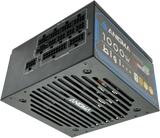
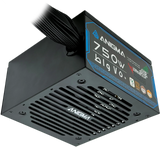
A good power supply should have enough capacity for the complete system, use the connectors your GPU requires and come from a reputable manufacturer.
Do not choose wattage by guessing. Check the graphics card recommendation and leave a reasonable amount of headroom.
If a future GPU upgrade is likely, a little extra capacity now can save you from replacing the power supply later.
Cooling Matters More in a Warm Climate
For a PC build in UAE, airflow deserves proper attention.
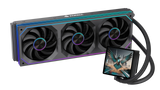
That does not mean every gaming system needs a large liquid cooler. Many processors run perfectly well with a good air cooler.
What matters more is getting cool air into the case and giving hot air somewhere to escape. A case with a blocked front panel and poor fan placement can make good hardware run hotter and louder than necessary.
Dust also builds up over time, particularly when a system is used every day. A case with removable filters makes cleaning much easier.
Good airflow is not exciting, but you notice the difference when the system stays quieter during long gaming sessions.
Buy the Case After You Know What Has to Fit Inside
Cases are often chosen early because they are one of the most visible parts of the build.
It is safer to choose them after the main hardware is decided.
Check the maximum GPU length, CPU cooler height and radiator support. Also look at cable space and the number of included fans.
A case that gives you a little extra room can make the first build much easier. You spend less time fighting with cables and worrying about whether the graphics card will clear the front fans.
Style still matters. Just make sure it is not the only reason for choosing the case.
Take Your Time With the First Assembly
The actual build is usually less intimidating than people expect.
Installing the CPU, RAM and M.2 SSD on the motherboard before putting it into the case can make things easier. After that, mount the board, install the cooler and power supply, then add the graphics card and connect the cables.
Most connectors only fit in the correct orientation. If something requires a surprising amount of force, stop and check it again.
The motherboard manual is genuinely useful here, particularly for front-panel connectors and fan headers. There is no prize for building without looking at it.
Before the First Boot, Check the Basics
Once everything is connected, take a minute before pressing the power button.
Check the motherboard power cable, CPU power connector and graphics card power. Make sure the RAM is fully seated and the cooler fan or pump is connected.
If the system starts but does not immediately show a picture, do not start taking the whole PC apart.
Check the monitor cable first, then the RAM and GPU. Some newer systems can also take longer on the first boot while memory training takes place.
Troubleshooting is much easier when you change one thing at a time.
After Windows Is Installed
Once the PC is running, install the graphics driver and check Windows Update.
It is also worth downloading the latest chipset and network drivers from the motherboard manufacturer's support page.
After that, use the PC normally and keep an eye on temperatures for the first few gaming sessions. You do not need to obsess over every number, but unusually high temperatures or constantly loud fans can indicate an airflow or cooling issue.
It is better to notice that early.
Do Not Overspend on “Future-Proofing”
There is always a faster CPU, a newer GPU or a motherboard with more features.
Trying to build a PC that will never need an upgrade usually leads to spending far more than necessary.
A better approach is to make sensible choices now while leaving room for realistic upgrades later. A good-quality PSU, enough case space and spare storage slots can make future changes much easier.
Buy the performance you need, plus a little headroom. You do not need to pay today for a workload you may never have.
Final Thoughts
A good gaming PC does not need to be complicated.
Work out the resolution and games first, then set the budget. Choose the graphics card around the monitor, pair it with a sensible CPU, and make sure the rest of the components support that combination properly.
For a PC build in UAE, cooling and airflow deserve a bit more attention, but the same basic rule still applies: keep the system balanced.
Spend where the difference will actually be noticeable. Check compatibility before ordering. And do not worry about making every component the highest specification available.
That is usually how you end up with a gaming PC that feels right rather than one that simply looks impressive on a parts list.
SHARE:


