






Best Custom Gaming PC in UAE: Build Your Dream PC with Anigma
Why Choose a Custom Gaming PC?

One of the biggest reasons people choose a custom gaming PC is simple: they want control over what goes inside it. Instead of accepting whatever combination a manufacturer has put together, you can choose the parts that matter to you and spend less on things that aren't important for your particular setup.
For example, someone playing Valorant or CS2 at 1080p may prefer to put more money into a capable CPU and a fast monitor. A gamer who spends most of their time playing demanding games at 1440p may get more benefit from putting a larger portion of the budget toward the graphics card.
That flexibility is useful because there isn't really one configuration that works perfectly for every gamer. Your games, monitor, budget and the other things you do on the PC should all have a say in the parts you choose.
Choose the Right GPU for Your Gaming PC
The graphics card is one of the first things to look at when planning a gaming PC because it has a major effect on how games run and how much graphical detail you can use.
If you're mainly playing competitive games at 1080p, you don't necessarily need an expensive high-end GPU. A good mid-range card can already deliver the frame rates many players are looking for. Spending considerably more only makes sense if you'll actually benefit from that extra performance.
Things change when you move to 1440p or 4K. Higher resolutions mean more work for the graphics card, especially if you’re trying to do it with high graphical settings or features like ray tracing. If you want to play newer AAA titles with those settings, a beefier GPU is a lot more important. At 1440p or 4K, the GPU is even more important because it has to handle a lot more on-screen detail.
You’ll notice this most when playing with high settings or turning on ray tracing. If newer AAA games are what you mainly play, spending a little more on the graphics card can be worth it.
Still, don't choose a GPU just because it's higher-end. Have a look at the games you play and the resolution you actually want to run. If a cheaper card already gives you the performance you need, there's not much point in paying extra for power you're unlikely to use.
Choose a CPU That Makes Sense for Your Build
The GPU usually grabs your attention first when you're comparing gaming PCs, but the processor shouldn't be an afterthought. It has its own job to handle while you're in a game, and some titles put a lot more pressure on the CPU than others. This matters even more if you're trying to get very high FPS. Instead of putting most of your budget into the graphics card, make sure the CPU is strong enough to work well with it and the rest of your setup.
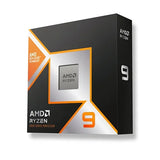
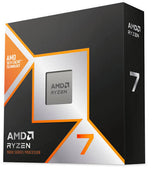
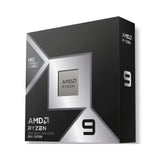
AMD Ryzen and Intel Core processors are both common choices for gaming systems. Rather than choosing between them based only on the brand, look at the particular processor and how it fits with the rest of your build.
There isn't much point in putting a large part of your budget into a high-end CPU if the graphics card isn't powerful enough for the games you want to play. The opposite can also happen. A powerful GPU may not be able to show what it can really do if the processor is holding the system back.
A sensible custom build keeps the CPU and GPU reasonably balanced. If you also plan to stream, edit videos or use demanding applications, a stronger processor can be worth considering.
How Much RAM Do You Need?
For a lot of gamers, 16GB of RAM is still a perfectly reasonable starting point. It can handle many games without a problem, particularly when gaming is the main thing you use the PC for.
If you tend to keep Discord, Chrome, Spotify, recording software and other applications open while playing, having 32GB gives you more breathing room. The same applies if gaming isn't the only thing you plan to do with the computer and you regularly edit videos or work with other demanding software.
It's also worth thinking about how easy the memory will be to upgrade later. If the motherboard has spare RAM slots, you may be able to add more memory when you need it instead of replacing the modules already installed.
So don't choose RAM simply because one PC has a bigger number beside it. Think about how you actually use your computer and whether the extra memory will make a difference for you.
Choose Fast Storage for a Better Experience
Storage is something you may not think much about when choosing your PC, but you'll notice it once you start installing games. Modern titles can take up a lot of space, and the drive can fill up faster than expected once Windows, applications, recordings and personal files are added.
An NVMe SSD is a sensible choice for a modern gaming PC. It makes Windows and applications feel responsive and helps keep game loading times reasonable compared with older mechanical drives.
For someone with a smaller game library, 1TB can be enough to get started. If you regularly have several large games installed at the same time, going for 2TB can save you the hassle of constantly deleting something to make room for the next game.
Storage is also one of the easier things to expand later. If your motherboard and case support another drive, you can add more space when you need it instead of replacing the entire PC.
Don't Forget Power Supply and Cooling
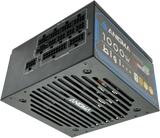
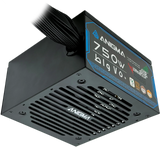
The power supply isn't the component most people get excited about, but it deserves some attention when you're putting together a custom gaming PC. Your PSU needs to provide enough power for the CPU and graphics card while leaving some sensible headroom for the rest of the system.
Don't judge a power supply purely by its wattage. A reliable unit from a reputable manufacturer is a much better choice than an unknown PSU with a larger number printed on it.
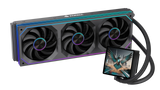
Cooling deserves the same kind of attention. Your CPU and GPU generate heat when you're gaming, especially during longer sessions. A suitable cooler and good case airflow help the components maintain stable temperatures.
You don't automatically need an expensive liquid cooler either. Depending on the processor you're using, a good air cooler can do the job perfectly well. The important thing is choosing cooling that actually suits the hardware in the system.
Custom Gaming PC vs Prebuilt Gaming PC
Both options have their place. A custom gaming PC makes more sense if you want to choose individual components and have a particular idea of how you want your system configured.
A prebuilt PC is more convenient if you don't want to spend time researching compatibility or assembling the machine yourself. You receive a complete system that's ready to set up and use.
The important thing is to look beyond the name of the graphics card when comparing prebuilt systems. Two PCs can have the same GPU but very different CPUs, motherboards, power supplies, storage and cooling. Those differences can affect the overall value and the experience you'll get from the machine.
If you know what you want and enjoy choosing the hardware yourself, a custom build gives you more freedom. If you'd rather avoid the building process, a well-configured prebuilt can be the easier option.
Build Your Own PC with Anigma
If you already have an idea of the type of gaming PC you want, Anigma's PC Builder UAE gives you a way to select the components for your system instead of settling for a fixed configuration.
You can choose the CPU, graphics card, RAM, storage and other components around the type of gaming you do. This is useful when you have a particular budget in mind and want to put more of it toward the parts that will actually affect your experience.
Whether you're putting together a PC for competitive gaming, 1440p AAA titles or a mixture of gaming and work, starting with your requirements makes the whole process easier.
👉 Build your custom gaming PC with Anigma and choose the components that fit your setup.
Which Custom PC Build Is Right for You?
There isn't a single build that can be called the right choice for everyone. If you're mainly playing competitive games at 1080p, you can usually get excellent results without spending the kind of money required for a high-end 4K system.
For 1440p gaming, you'll generally want to put more attention toward the graphics card because you're asking the system to render more pixels while maintaining good frame rates. A stronger GPU can make a noticeable difference in this type of setup.
If you're planning to stream games or edit videos as well, the requirements change again. In that situation, having a stronger CPU and 32GB of RAM can be useful because the PC is dealing with more than just the game running in the foreground.
For high-end gaming, particularly at 4K or with demanding graphical settings, the graphics card becomes even more important. You should also make sure the power supply and cooling are suitable for the hardware you're putting together.
Why Choose Anigma for Your Custom Gaming PC in UAE?
Choosing the components is only part of building a gaming PC. You also want to buy from somewhere that makes it easier to put the complete system together around your requirements.
Anigma gives customers the option to choose different gaming PC configurations according to their budget and performance needs. Instead of being limited to one fixed combination of hardware, you can use the PC Builder UAE to select the components that make sense for your setup.
Whether your priority is competitive gaming, AAA titles, streaming or content creation, the idea is to build around the way you actually plan to use the PC.
Final Thoughts
The best custom gaming PC isn't necessarily the one with the biggest graphics card or the highest price. A good build is one where the components make sense together and the system gives you the performance you're actually looking for.
Start with the games you play and the resolution you want to use. From there, work out what kind of GPU you need and choose a CPU that can keep up with it. Then look at RAM, storage, cooling and the power supply instead of treating them as afterthoughts.
If you want complete control over the hardware, building a custom PC can be a great way to get exactly the system you want. And if you're looking for a PC builder in UAE, Anigma's builder gives you the flexibility to choose the components around your own requirements.
Ready to build your gaming PC? Explore Anigma's PC Builder and put together a setup that suits the way you play.
شارك:


