






Buy Gaming Computer in UAE: What to Look for Before You Buy
Buying a gaming computer is a little more complicated than picking the PC with the biggest number on the box. Two systems can look almost identical from the outside and still perform very differently once you start playing. The processor, graphics card, memory, storage, cooling and even the power supply all affect how the computer feels in daily use.
That is why it helps to slow down before buying.
If you are planning to buy a gaming computer in the UAE, the first thing to decide is what you actually expect from it. A PC for Valorant and Fortnite does not need the same hardware as a system built for demanding single-player games at high settings. Someone playing at 1080p also has different requirements from a gamer using a high-refresh 1440p or 4K monitor.
There is no single specification that makes sense for everybody. A better approach is to match the computer to the games you play, the monitor you use and the amount you are comfortable spending.
This guide covers the things worth checking before you buy, whether you are considering a ready-made gaming PC or putting together a custom system.

Start With the Games You Actually Play
It is easy to overspend on a gaming computer because PC hardware marketing tends to focus on the fastest parts available.
That does not mean you need them.
If most of your time goes into games such as Valorant, League of Legends, Counter-Strike, Rocket League or Fortnite, a sensible mid-range system can already provide a very good experience. Spending heavily on a flagship graphics card may not make much difference to the way you actually use the computer.
The situation changes if you play newer AAA games, use high-resolution texture packs or want to turn graphics settings up without constantly checking frame rates. Those games put far more pressure on the graphics card and sometimes the processor as well.
Before looking at brands or RGB lighting, make a short list of the games you expect to play over the next couple of years. That immediately gives you a more realistic starting point.
It also helps prevent the opposite mistake: buying a system that is cheap today but needs major upgrades almost immediately.
Decide What Resolution You Want to Play At
Resolution is one of the biggest factors in gaming performance.
A computer that performs comfortably at 1080p may struggle when the same game is moved to 4K. The graphics card has to process far more pixels, so the hardware requirement rises quickly.
For many gamers, 1080p still makes sense because it offers good image quality without demanding extremely expensive hardware. It is also well suited to competitive gaming, where high frame rates matter more than pushing maximum visual detail.
1440p sits in the middle. It looks noticeably sharper than 1080p and pairs well with modern mid-range and upper-mid-range graphics cards. For someone buying a gaming PC that they hope to keep for several years, 1440p is often a sensible target.
4K gaming is more demanding. It can look excellent on a suitable monitor, but the GPU budget rises considerably if you also want high settings and smooth performance.
The important thing is to buy the PC and monitor as a combination. There is little point in paying for hardware designed for 4K gaming if you are going to use it with a basic 1080p display for the next few years.
The Graphics Card Matters, but Balance Still Wins
When people compare gaming computers, the graphics card usually gets most of the attention.
There is a good reason for that. In many games, the GPU has the biggest direct effect on frame rate and graphics settings. A stronger graphics card generally allows you to use higher resolutions, better visual settings and more demanding effects.
But buying the most expensive GPU you can afford while cutting corners everywhere else is not always a good idea.
A powerful graphics card still needs a capable processor, enough memory, suitable cooling and a decent power supply around it. If those parts are badly matched, the final computer can feel less impressive than its GPU name suggests.
Anigma's current gaming PC collection is a useful example of how broad the market has become. Its UAE range includes systems built around cards from the RTX 3050 and RTX 5050 level through to RTX 5080 and RTX 5090 configurations, with different Intel and AMD processors around them.
That range exists because different buyers need very different levels of performance.
Do not choose a graphics card because it is the newest model on the page. Choose it because it matches your games, resolution and expected frame rate.
Do Not Ignore the Processor
The processor is sometimes treated as a secondary part in a gaming PC, but that is too simplistic.
Competitive games, strategy games, simulation titles and games with large numbers of characters or physics calculations can put a lot of work on the CPU. The processor also matters when you are doing other things at the same time, such as streaming, recording gameplay, keeping browser tabs open or running communication apps in the background.
The goal is not necessarily to buy the fastest processor available.
It is to avoid pairing a very strong GPU with a processor that cannot keep up.
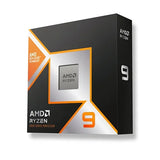
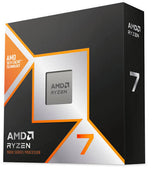
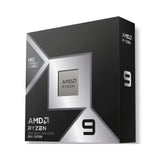
For a mid-range gaming computer, a sensible modern Core i5 or Ryzen 5-class processor may already be enough depending on the exact model and the games being played. Higher-end Core i7, Core Ultra, Ryzen 7 or X3D chips start to make more sense when you are targeting high frame rates, using a powerful GPU or doing heavier work alongside gaming.
Anigma currently carries both Intel and AMD gaming systems, so buyers are not tied to one platform when comparing builds.
The better choice is usually the configuration that gives you the strongest overall system for your budget rather than simply choosing Intel or AMD because of the logo.
How Much RAM Do You Need?
For a new gaming computer, 16GB should be viewed as a practical starting point rather than a luxury.
It is enough for many current games and normal background applications, especially in a budget or entry-level system. However, 32GB has become increasingly attractive for buyers who want more headroom.
That extra memory is useful if you regularly keep browsers, Discord, recording software, launchers and other applications open while gaming. It can also be a better fit for people who edit video, work with large creative applications or expect to keep the same PC for several years.
Anigma's current gaming PC range includes both 16GB and 32GB systems, while higher-end configurations move to 64GB.
For most gamers, 32GB is already plenty. Buying 64GB purely for gaming usually does not produce the same noticeable improvement as putting that money toward a stronger GPU or better monitor.
Memory speed and platform compatibility matter too, but capacity is the easiest place to start when comparing complete systems.
SSD Storage Is Worth Paying Attention To
Modern games can be huge.
A 512GB SSD may look fine on a specification sheet, but once Windows, applications and a handful of large games are installed, available space can disappear quickly.
For a new gaming PC, 1TB is a comfortable starting point for many people. It gives you room for several games without constantly deleting and reinstalling them.
If you keep a large game library, record footage or work with video files, 2TB becomes easier to justify.
Anigma's current gaming PC selection reflects that split, with systems listed using 512GB, 1TB and 2TB storage configurations.
Storage is also one of the easiest things to upgrade later, so there is no need to overspend on it if doing so means downgrading the graphics card.
What matters more is having an SSD as the main drive. A gaming PC should feel responsive outside games as well, and solid-state storage makes a major difference to boot times, loading and general everyday use.
Prebuilt or Custom Gaming PC?
This is one of the most common decisions buyers face.
A prebuilt gaming PC is the simpler option. The parts are already selected, the computer is assembled and you do not have to spend time checking whether every component works with the others.
That convenience is valuable, particularly if you want a computer ready to use without learning about motherboard sockets, PSU requirements or cooler clearance.
Anigma's current prebuilt range in the UAE covers entry-level through high-end systems and lists one-year warranty coverage, fast delivery and 0% instalment options on the collection page.
A custom PC gives you a different advantage: control.
Instead of accepting a fixed set of parts, you can decide exactly how much of the budget goes toward the processor, GPU, memory, case, cooling and storage.
This is useful if your priorities are unusual. Maybe you care more about GPU performance than appearance. Perhaps you need extra storage for editing. You may want a compact case, a quieter cooler or a motherboard with a particular feature.
Anigma's Build From Scratch service allows buyers to select the case, platform, CPU, motherboard, graphics card, RAM, cooler, SSD and power supply individually. Professional assembly and cable management are currently listed as free services within the builder.
So the choice is not really about which option is universally better.
Prebuilt is easier.
Custom gives you more control.
Look Beyond the Case and RGB Lighting
A good-looking gaming computer is nice to have.
It should not be the reason you buy the wrong hardware.
Cases with glass panels, RGB fans and elaborate lighting can make two very different computers appear equally impressive in photos. Once the game starts, however, the graphics card and processor matter far more than how many colours the fans can display.
This is particularly important at lower and mid-range budgets.
If the choice is between a more expensive case and a better GPU, the GPU will usually have a much larger effect on gaming.
That does not mean the case is irrelevant. It still needs decent airflow, enough room for the components and sensible build quality. The point is simply that appearance should come after performance rather than before it.
You can change lighting later.
You cannot turn RGB into extra frames per second.
Cooling Matters More in Powerful Systems
Gaming components produce heat, and higher-end parts can produce a lot of it.
Cooling affects temperatures, noise and how comfortably the system performs during long gaming sessions. A computer may look excellent in a product photo but become unpleasant if the fans are constantly running at full speed.
For moderate systems, a good air cooler can be perfectly adequate.
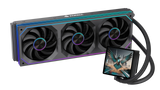
More powerful processors may benefit from larger air coolers or liquid cooling depending on the chip, case and intended workload.
Case airflow matters as well. Intake and exhaust fans need a sensible path for moving cool air through the system instead of simply adding more RGB fans wherever they fit.
This becomes increasingly important as hardware power rises.
A gaming PC with an upper-tier GPU and high-performance processor deserves more attention to thermals than a basic esports system.

Check the Power Supply
The power supply rarely gets the same attention as the GPU, but it should not be treated as an afterthought.
Every component depends on it.
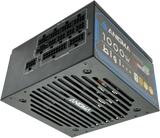
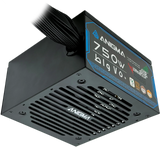
A gaming computer should have a PSU that provides enough power for the current configuration with sensible headroom for spikes and future upgrades. The unit should also come from a reputable source rather than being chosen only because it has a high wattage number printed on the box.
More watts do not automatically mean a better power supply.
A well-selected unit with the right capacity is more useful than an oversized low-quality model.
If you are buying a custom PC, the GPU manufacturer recommendations and the rest of the hardware should guide PSU selection. If you are buying a prebuilt, check that the power supply specification is clearly stated rather than hidden behind vague wording.
This is especially important if you expect to upgrade the graphics card later.
Think About Upgrades Before You Buy
A gaming PC does not have to stay exactly the same for its entire life.
That is one of the biggest advantages of buying a desktop.
You may add another SSD after a year. RAM can be expanded. The graphics card can be replaced. Depending on the platform, the processor may also be upgradeable without replacing every other component.
But not every gaming computer gives you the same upgrade path.
A very cheap motherboard may have limited expansion. A small case may restrict future GPU sizes. A low-capacity power supply may need replacing as soon as you install a stronger graphics card.
Thinking about those things before buying can save money later.
You do not need to overbuild the system for upgrades that may never happen. Just avoid buying parts that leave you no reasonable room to grow.
Set the Budget for the Whole Setup
One mistake first-time buyers make is spending the entire budget on the tower and then remembering they still need a monitor, keyboard, mouse, headset and possibly speakers.
Decide whether your budget is for the PC alone or for the complete setup.
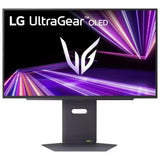
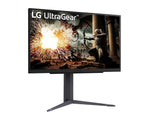
A strong gaming computer paired with a poor monitor can also be a waste.
If you are building around high frame rates, you will want a monitor with a refresh rate that can actually display them. If the system is intended for 1440p gaming, the monitor should match that goal.
The keyboard and mouse are more personal. They can improve comfort and control, but they should not force you to downgrade core PC hardware unless peripherals are genuinely important to you.
Start with the machine and display.
Everything else can be improved gradually.
What Budget Should You Expect in the UAE?
Gaming computer prices vary widely because the hardware inside them varies widely.
At the time of writing, Anigma's current entry-level gaming range includes an Intel-based RTX 5050 system with 16GB of memory and 1TB storage listed at AED 4,299. The same collection extends all the way into high-end RTX 5080 and RTX 5090 systems costing well above AED 10,000.
That gap is useful because it shows why asking “How much does a gaming PC cost?” does not have one simple answer.
A computer designed for 1080p gaming can cost dramatically less than a flagship machine aimed at 4K, ray tracing or high-refresh competitive gaming.
Rather than starting with the most expensive system you can afford, decide what performance level you need and then set the budget around it.
Sometimes spending slightly more now can avoid an early upgrade.
Other times, paying extra only buys performance you will never notice.
Warranty and After-Sales Support Matter
This is easy to overlook when comparing prices online.
A gaming computer contains several expensive components, and any one of them can develop a problem. That makes warranty coverage and after-sales support worth considering before you buy.
A cheaper PC from an unknown seller may look attractive until something stops working and you have no clear support route.
Anigma's current prebuilt gaming PC page lists a one-year warranty, while its custom Build From Scratch service currently includes two free maintenance services during the first year. The custom builder also states that if a selected part needs to be changed because of compatibility or availability, the alternative is subject to customer approval.
Those details are worth checking wherever you buy.
Do not compare only the number at checkout.
Compare what happens after the purchase too.
Buying Online vs Visiting a Store
Buying online is convenient because you can compare specifications without pressure and take time to research every part.
It also gives you access to a much wider range of configurations than most physical displays can show at once.
A store visit has advantages too. You can see case sizes in person, ask questions and sometimes get a better sense of build quality before buying.
For UAE buyers who prefer online shopping, delivery time is worth checking before placing the order. Anigma's custom builder currently states shipping within five working days in the UAE and seven working days for the Western Region, while its gaming PC collection also advertises fast delivery across the UAE.
If the system is needed for a birthday, tournament, work deadline or other fixed date, confirm delivery timing instead of assuming every configuration ships immediately.
Custom builds naturally take longer than pulling an already assembled system from stock.
Common Mistakes to Avoid
One of the easiest mistakes is judging the entire PC by the graphics card name.
The GPU matters, but it does not tell you everything. Check the processor, memory, storage, motherboard, cooling and power supply as well.
Another mistake is buying more performance than the monitor can use. There is little point in building a powerful high-resolution gaming PC if the display becomes the limiting factor.
The reverse can also happen. Buying an expensive high-refresh 1440p or 4K monitor and then pairing it with hardware that cannot comfortably drive it leads to disappointment.
Brand names can also distract buyers.
Two systems using an RTX 5060, for example, are not automatically equal. One may have a better processor, twice the storage, stronger cooling or a more capable power supply.
Compare the complete specification.
Not the headline.
Should You Buy a Gaming Computer or Build One?
If you enjoy researching hardware and know exactly what you want, a custom build is hard to beat.
You decide where the money goes and can avoid paying for features you do not care about.
If you simply want a gaming PC that has already been assembled and matched for you, a prebuilt is easier.
There is no wrong answer.
The better option depends on how involved you want to be in the process.
Some buyers enjoy spending days comparing processors and graphics cards.
Others just want to install their games and play.
Both are perfectly reasonable.
Final Thoughts
If you are planning to buy a gaming computer in the UAE, start with your games rather than the PC catalogue.
Think about the resolution you want, the frame rates that matter to you and whether you expect to upgrade in the future. From there, it becomes much easier to decide how much money should go toward the graphics card, processor, RAM and storage.
A good gaming PC is not necessarily the machine with the most expensive parts.
It is the one where the parts make sense together.
For some people that means an entry-level system designed for 1080p gaming. Others may be better served by a balanced 1440p build with room to grow. A smaller group genuinely needs the performance of a high-end RTX 5080 or RTX 5090 setup.
There is no reason to pay for the third option if the first one already does everything you need.
Prebuilt gaming computers make sense when convenience matters. Custom systems are better when you want control over each component. Whichever route you choose, look past the case, check the full specification and think about the system as something you will use for several years rather than something that only needs to look impressive on the day you buy it.
That is usually the difference between simply buying a gaming computer and buying the right one.
Frequently Asked Questions
What should I check before buying a gaming computer?
Start with the graphics card and processor, then check RAM, storage, cooling, power supply and motherboard. You should also consider your monitor resolution, warranty and whether the system has room for future upgrades.
Is a prebuilt gaming PC worth buying?
Yes, especially if you want a ready-to-use system without choosing and assembling every component yourself. A good prebuilt should have a balanced specification and clear information about warranty and support.
Is a custom gaming PC better than a prebuilt?
A custom PC gives you more control over the individual parts and how your budget is spent. A prebuilt is more convenient. Neither is automatically better for every buyer.
Is 16GB RAM enough for gaming?
For many games, 16GB is still enough. However, 32GB gives you more room for newer games, background applications, streaming and creative work and may be a better long-term choice.
How much storage should a gaming PC have?
1TB is a comfortable starting point for most gamers. If you keep many large games installed or record gameplay, 2TB can be more practical.
Should I choose Intel or AMD for a gaming PC?
Both platforms offer strong gaming processors. The better choice depends on the exact processor, total system price, motherboard and the type of games or other work you plan to do.
Where can I buy gaming PCs in the UAE?
Anigma currently offers both prebuilt gaming PCs and a Build From Scratch service for custom systems, with UAE delivery and a range of Intel, AMD and NVIDIA-based configurations.
SHARE:


